Google Dorks: Top Tips and Tricks for Advanced Search Intelligence
Ever had trouble finding exactly what you're looking for on Google? You might want to try out Google Dorks. These advanced search techniques can uncover information that typical searches miss. In this article, we'll show you how to use Google Dorks to get precise results and boost your cybersecurity defenses—no fluff, just useful tips.

Key Takeaways
- Google Dorks is a search technique that utilizes advanced operators to uncover sensitive or specific information on the internet.
- It is highly useful for cybersecurity, competitive intelligence, and research.
- Ethical usage is paramount; comply with Google’s Terms of Service and avoid unauthorized access.
- Defensive measures like WAFs, robots.txt, and directory indexing limits can protect your own site from being dorked.
What are Google Dorks?
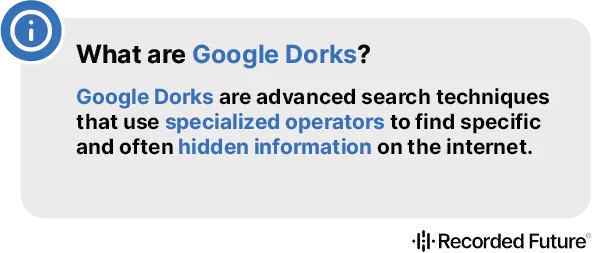
Google Dorks are advanced search techniques that use specialized operators to find specific and often hidden information on the internet. Picture being able to find sensitive or private information on websites that most people can't access. Google Dorks offer a unique way to access detailed information on the internet that isn't easily found.
Specialized Search Operators
Leveraging specialized search operators like:
site:inurl:intitle:intext:filetype:
Google plays a crucial role by organizing web content in a way that makes it accessible through these specialized queries. Understanding these commands can significantly enhance your ability to perform advanced searches.
History and Legal Aspects
History of Google Dorks
Google Dorks were introduced in 2002 by computer-security expert Johnny Long. Since its inception, they have evolved from an obscure technique to one of the top recognized OSINT tools within the cybersecurity and IT communities.
Legal Aspects
While Google Dorks are a potent tool, their responsible and ethical usage is paramount. When used for authorized purposes, such as conducting security assessments with permission, they are perfectly legal. However, bypassing paywalls or authorization pages may result in legal issues.
Essential Google Dorking Commands
Familiarize yourself with these essential commands to refine and target search results effectively:
Basic Commands
site:- Narrows the search to a specific website or domain.intitle:- Finds a keyword within a webpage's title.inurl:- Searches for a keyword within a URL.filetype:orext:- Locates specific file types like PDF, XLS, or SQL.

List of Top 20 Google Dorking Commands
- Site: Finds results on a specific website.
- Inurl: Searches for a keyword within a URL.
- Intitle: Finds a keyword within a title.
- Filetype: Locates specific file types.
- Link: Finds pages linking to a specific URL.
- Intext: Searches within body text.
- Allintitle: Finds multiple keywords in the title.
- Cache: Shows the cached version of a webpage.
- Related: Displays related pages.
- Info: Provides details about a website.
- Ext: Finds a specific file extension.
- Define: Displays the definition of a word.
- Phonebook: Searches for contact information.
- Map: Shows a map of a location.
- Allinurl: Finds multiple keywords in the URL.
- Before: Finds content indexed before a date.
- After: Finds content indexed after a date.
- Numrange: Searches for numbers within a range.
- AROUND(X): Finds terms within X words of each other.
- Inanchor: Searches within the anchor text of links.

Google Dorking for Cybersecurity
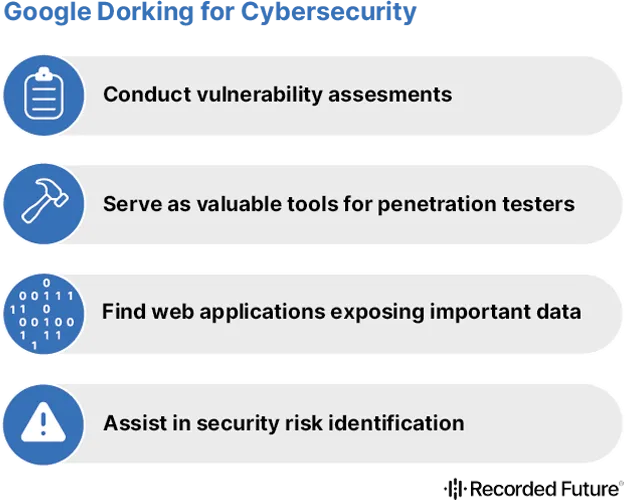
Google Dorks have significant implications for cybersecurity, helping reduce the attack surface by identifying and addressing vulnerabilities.
- Vulnerability Assessments: Uncover weaknesses and potentially sensitive content.
- Penetration Testing: Identify publicly accessible files, scripts, and critical resources.
- OSINT Investigations: Locate specific information concerning individuals or businesses.
Identifying Web Vulnerabilities
By using Google Dorks, you can disclose a range of sensitive information, including:
- Exposed login pages
- Unlisted directories
- Configuration files with passwords
- Private databases
Protecting Your Website
Implementing defensive security measures can help prevent your sensitive info from being leaked:
1. Implementing Access Controls
Use robots.txt to instruct search engines on which directories should not be indexed.
User-agent: *
Disallow: /admin/
Disallow: /config/
Disallow: /backup/
2. Disabling Directory Indexing
Disable directory indexing via .htaccess to prevent browsing of file structures.
1Options -Indexes23. Regularly Updating Software
Ensure all web systems are patched and up-to-date to ward off known exploits.
Summary
Google Dorks provide a powerful tool for accessing hard-to-find information on the internet. Whether you’re a cybersecurity expert, a researcher, or a digital marketer, understanding and using Google Dorks responsibly can open up a wide range of precise search capabilities.
Take Charge: As a security professional, gathering information with Google Dorks is just the beginning. Continued learning and ethical practice are key to staying ahead in the ever-evolving digital landscape.
About the Author

Esteban Borges
Security Researcher & IT Professional
Esteban is a seasoned security researcher with over 20 years of experience, specializing in hardening systems and networks, leading blue team operations, and conducting thorough attack surface analysis to bolster cybersecurity defenses. He has held key roles at SecurityTrails before joining Recorded Future.